
Make the next decision
with better context.
A clear report says what was observable, what action followed and what remains uncertain. Explore the examples below before discussing the reporting your stores need.
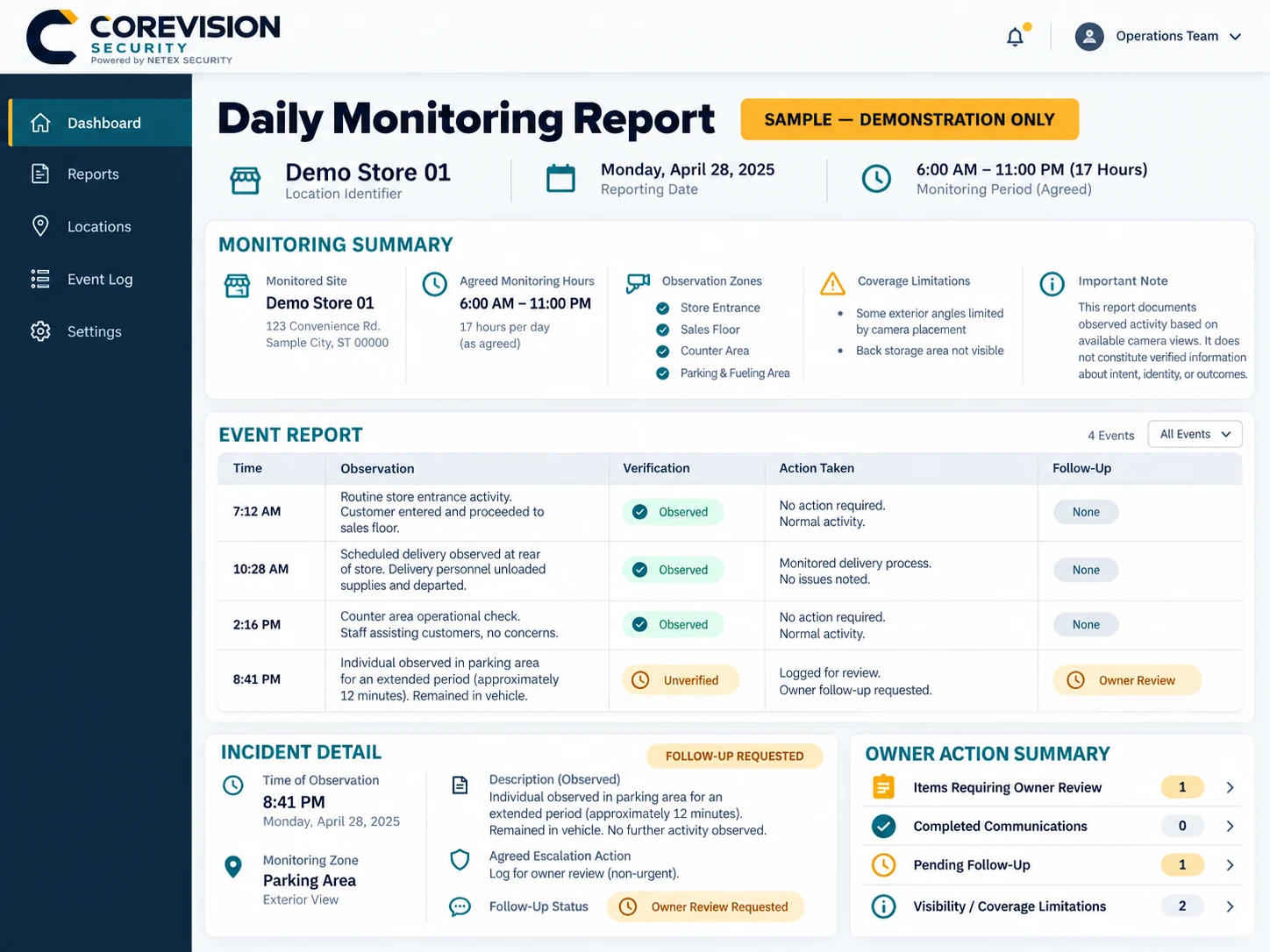
Facts first. Limits visible.
The supplied example represents Demo Store 01 on April 28, 2025, with an illustrative review window of 6 a.m. to 11 p.m.
- 7:12 a.m. — Routine entrance activity is recorded; no action is noted.
- 10:28 a.m. — A scheduled rear delivery is observed; the sample records no issue.
- 2:16 p.m. — A counter check is recorded; no action is noted.
- 8:41 p.m. — A person remains in a parked vehicle for about 12 minutes. The example logs non-urgent owner review; intent is unverified.
Keep observation separate from interpretation.
A useful note identifies the relevant time and view, states observable activity, records any authorized contact or escalation and leaves a clear follow-up status.
Unclear behavior is a question to review. It is not proof of theft, misconduct or intent. The separate HTML example shows the structure without depending on small text in an image.
A person remains near the entrance after the agreed trading hours. The camera view does not establish their intent.
The operator checks the available view and follows the site’s agreed contact sequence.
The observation and contact attempt are logged for owner review. Any unresolved question stays clearly identified.
Different questions need different records.
| Report type | Useful content | What must be agreed |
|---|---|---|
| Incident note | Observable activity, available view, contact attempts and unresolved questions. | Escalation thresholds, recipients and record handling. |
| Activity summary | Selected operational observations within the covered hours. | Which checks are included and when summaries are delivered. |
| POS exception review | A comparison of an available transaction record with relevant footage. | Authorized data access, timestamps, identifiers and limitations. |
| Multi-store summary | Consistent headings with store-specific context and outstanding follow-up. | Participating sites, reporting format and authorized owner recipients. |
No particular report frequency, footage retention period, evidence standard or export format is included unless agreed. Reports support management review; they are not certified forensic findings.
See what useful reporting would look like for your store.
Tell NETEX which decisions you need help making. The report structure and coverage can then be discussed together.